
I am a simple dog with simple needs: the ability to use the left windows button, or left meta or left super as it is sometimes referred to on linux, as my discord push to talk key.
I have used windows as my push to talk key since time immemorial (the ventrilo and mumble days) and this tradition has continued into the discord era.
When I first installed KDE Neon on this computer, which I think was two years ago now, KDE had not introduced Global Shortcuts. I actually might not be right in blaming KDE here, it's possible it's a wayland thing, but for the purposes of this journey I don't think it matters that much.
Originally I was able to set my left windows key as my push to talk in discord no problem. Well, fast forward to a few days ago, where they had somehow bungled up the ability to watch streams on linux. They have since fixed this, but in the meantime discord canary worked. Unfortunately, this is how I discovered KDE Global shortcuts intercept the left windows key. It works for push to talk if it's already set, but in the settings dialog in Discord I can't set it anymore. Pretty bad actually, which means Discord Canary wasn't gonna work for me.
So begins the 3-day journey of trying to figure out how the fuck to get around this problem. The actual solution is to use udev's hwdb feature, intercept it at the kernel level and map it to something else. This is how you used to be able to do it on windows, there was a registry edit to turn your windows key into F13. I used it for years.
Well in linux it's harder.
Here's what you gotta do.
You want to run sudo evtest from your terminal, evtest is event test, it will capture events as they happen. Run it on the first thing in the list that sounds like it might be your keyboard, numerically.
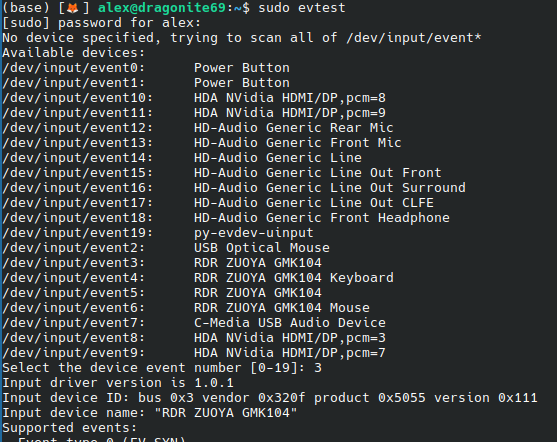
In my case I got this message "this device is already grabbed by another process", which is because I had set up a python script to try and recreate windows Altcodes for unicode characters.
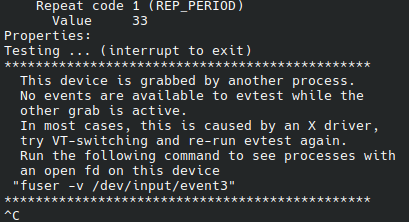
It'll tell you the command to run to see what the hell is doing that.

I stop the service, and run it again.
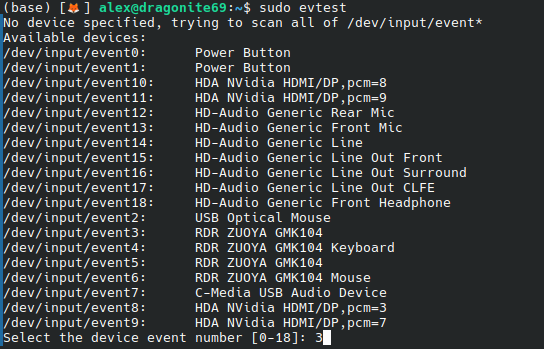
Tap your keyboard key a few times and viola!
This says F20 because I already did this, but the part you need, the value on the first line, has not changed

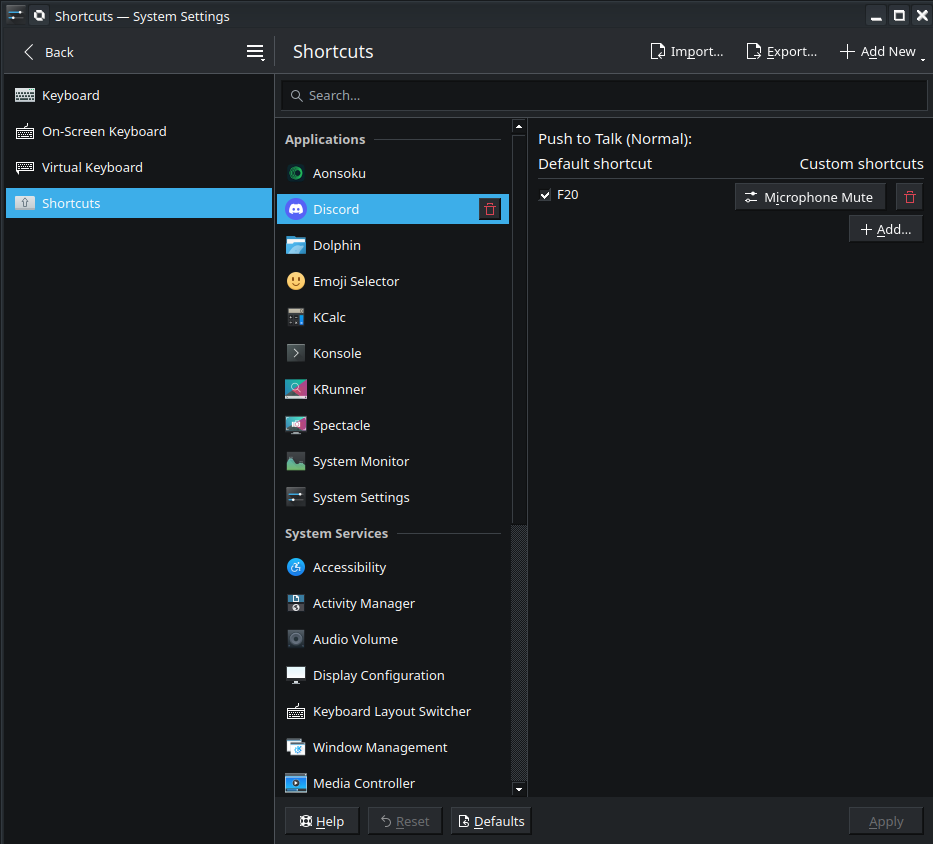
Now, you're gonna create a hwdb file in /etc/udev/hwdb.d/ and you're going to replace the 700e3 value with whatever the value of the key you're trying to remap is. You're also gonna change the name of the keyboard to whatever your keyboard is called in evtest's list, you can wildcard it like I did and it should catch all of them. I chose a target key of F20, so key_f20 is what I put in, lowercase, as the mapping value. I have since learned KDE considers F20 to be "Mute Microphone" but we can unbind that in the settings dialog later. It doesn't really matter what you name this file as long as it has a .hwdb extension, in my case I named it 01-leftwin.hwdb
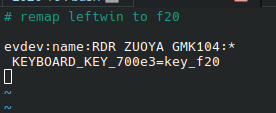
give it the old :wq in vim to save it and then run
sudo systemd-hwdb update
sudo udevadm trigger
This will apply the changes, you can test it out by running evtest again
Now for the weird KDE related part. Go find the shortcut in the KDE settings panel for Mute Microphone and either unbind it or rebind it to something else.
Then, assign your push to talk key in discord. KDE will put up a dialog box asking if you want to register the global shortcut, say yes. Discord should say something like UNK198 as your PTT key.
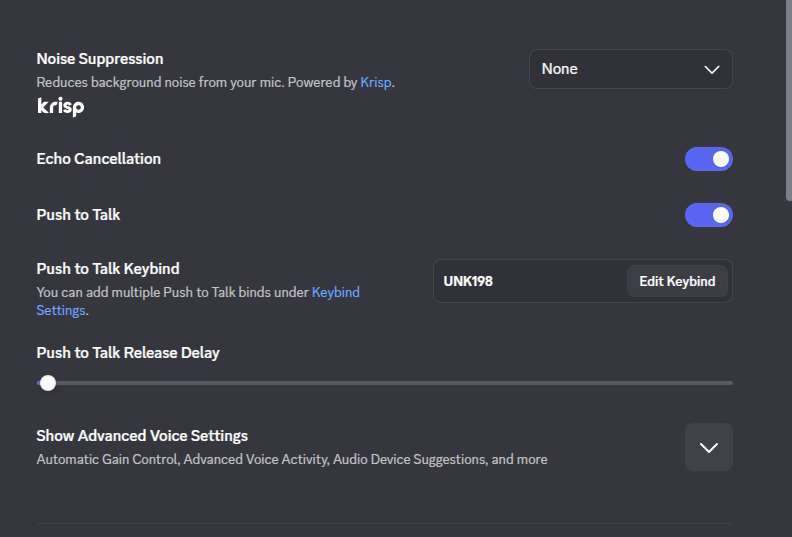
Now, you want to go find that global shortcut, and edit it in the KDE settings panel, and just tap the push to talk button again. No idea why this part is required, but I think it has something to do with the global shortcuts trying to decide the often unused F-keys are something else
Now join a voice channel and test it out! It should work! I have written this because I think it is important and because it's really weird that this used to work and now it doesn't.